
You can check your Uganda passport application status through the government passport portal using your application number and personal details. Tracking your application helps you establish whether further action is needed and whether your passport is ready for collection.
Before starting, have your application acknowledgement or appointment paperwork nearby. Entering information exactly as recorded on your application can prevent unsuccessful searches.
This guide explains the official checking procedure, how to recover forgotten application details and what to do when your passport takes longer than expected.
What You Need to Check Your Passport Status
The immigration authority’s published instructions identify these details for a passport status check:
- Your passport application number.
- Your date of birth.
- Your surname.
- The verification text displayed on the checking page.
The guidance illustrates an application number beginning with W000. Use the complete reference issued for your application rather than copying an example. NCIC
Keep your application number separate from payment references. When a form requests an application number, enter the reference specifically identified as such on your passport paperwork.
How to Check Your Uganda Passport Application Status Online
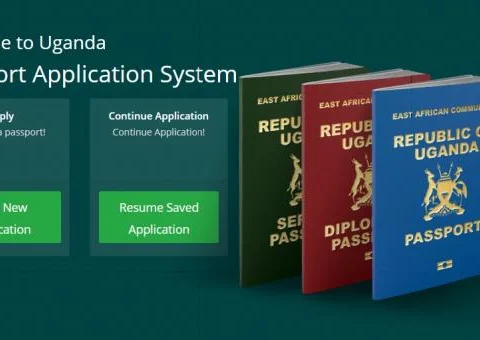
Step 1: Open the Official Passport Portal
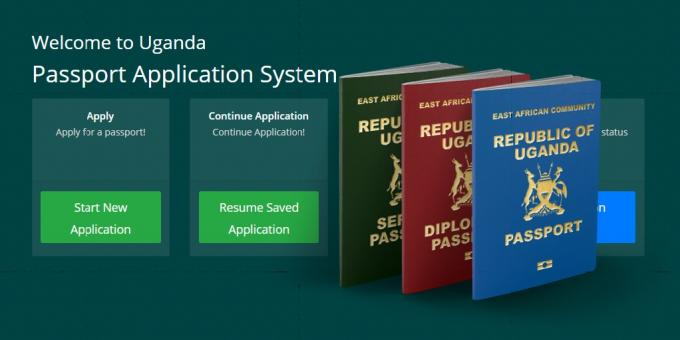
Visit the Uganda government passport portal by entering passports.go.ug in your browser.
The portal requires JavaScript. If your browser displays a message asking you to enable it, allow JavaScript for the official website and reload the page. passports.go.ug
You can use a smartphone or computer. A computer may be more convenient if you need to compare information against saved documents.
read Also; How to Apply for Government Scholarships in Uganda
Step 2: Find the Application Status Option
Look for the passport application status service on the homepage.
The immigration authority’s published instructions call it “Check Application Status.” Navigation labels and page layouts can change, so identify the status-checking function rather than relying only on its position on the screen. NCIC
Step 3: Enter Your Application Details
Provide the information requested on the current form.
Check that your surname and date of birth match the application record. Pay particular attention to spelling, hyphens and the order of names.
If a date picker is provided, confirm the selected day, month and year before proceeding.
Step 4: Complete the Verification Check
Enter the displayed verification text or complete the verification method presented by the official portal.
If the text is difficult to read, use a refresh option if available. Enter the new text after refreshing rather than continuing with the previous image.
Step 5: Request and Read the Status
Submit the request using the status button.
The authority’s published procedure refers to “Get Status.” Read the complete response, including any instructions accompanying it. NCIC
Save the result privately if you need to refer to it during a follow-up enquiry.
How to Know Whether Your Passport Is Ready for Collection
Look for an explicit confirmation that the passport is ready, together with any collection instructions.
An acknowledgement, payment confirmation or appointment booking should not be treated as collection confirmation. Each relates to a different part of the process.
Before travelling to collect your passport, establish:
- Whether collection readiness has been confirmed.
- Which office or mission is handling collection.
- Whether a collection appointment is required.
- What identification and application paperwork you should bring.
- Whether any additional instructions apply to your case.
Follow the current portal message and instructions from the office handling your application. If the information is unclear, ask for clarification before making a long journey.
Understanding the Information Shown After a Status Check
Use the exact wording displayed for your application. Do not assume that unofficial websites use the same status labels as the government system.
The following table explains how to respond to common types of information. These are general situations, not a confirmed list of the portal’s status labels.
| Information shown | Recommended action |
|---|---|
| Application remains under consideration | Check whether you have completed all requested steps and whether any further information is required |
| Additional information or action is requested | Follow the instructions through the official channel |
| Passport is confirmed ready for collection | Check the collection location, appointment requirements and documents to bring |
| Details do not match or no record is returned | Recheck the reference, surname and date of birth |
| Page fails to load or displays a technical error | Troubleshoot the browser and connection, then try again later |
| Result is unclear or conflicts with another message | Contact the office handling the application for clarification |
An unsuccessful search alone does not establish that an application has been rejected.
What to Do if Your Application Number Is Lost
Start with the records created during your application.
Check:
- Your saved application acknowledgement.
- Appointment paperwork.
- Downloaded application documents.
- Relevant messages in the email account used to apply.
- Printed copies kept with your passport application records.
The official portal’s resume page also provides an option for applicants who have forgotten their application details, described as sending those details to their email address. Follow the recovery instructions presented there. passports.go.ug
Use the email account associated with the application and check its spam folder if an expected recovery message does not appear.
If you cannot recover the details, contact the passport office or Ugandan mission handling your case. Explain that you need help identifying an existing application.
Avoid submitting another application simply because you cannot locate the first reference. Ask the responsible office how to proceed.
Why Your Uganda Passport Status May Not Appear
Incorrect Application Reference
Compare the number you entered with the original document.
Check for omitted characters, typing mistakes and spaces introduced when copying and pasting.
Do not substitute a bank transaction number or another reference unless the form specifically asks for it.
Surname Does Not Match the Application
Use the surname recorded on the application.
If your documents contain different spellings or you believe an error was made during submission, seek guidance from the passport office rather than repeatedly trying unrelated name combinations.
Incorrect Date of Birth
Check the day, month and year carefully.
Where the form uses separate fields, make sure each selection is correct. Where it accepts typed dates, follow the displayed format.
Browser or Connection Problems
If the page is blank, incomplete or unresponsive:
- Confirm that your internet connection works.
- Reload the official page once.
- Check that JavaScript is enabled.
- Try an updated browser.
- Close unnecessary tabs on a phone with limited memory.
- Try again later if the problem continues.
Do not respond to a technical problem by submitting personal details to an unfamiliar tracking website.
You Are Using a Different Immigration Service
Passport applications and visa or permit applications use different processes.
Some immigration guidance refers to checking a visa application using an existing passport number. That should not be confused with tracking an application for a Ugandan passport.
For passport tracking, begin with the passport portal and its passport-specific instructions.
How Long Does Passport Processing Take in Uganda?
The immigration authority’s published FAQ states:
| Service | Published processing time |
|---|---|
| Regular passport processing | 10 working days |
| Express passport processing | 2 working days |
The FAQ specifies that these periods apply after the enrolment process is complete. They should not be counted automatically from the day you first open an online application. NCIC
The passport portal also explains that processing depends on the information supplied and checks by the competent authorities. Treat published timelines as service guidance rather than a guaranteed collection date for every application. passports.go.ug
If you applied through a mission abroad, ask that mission about its own handling and collection arrangements.
What to Do When Your Passport Is Delayed
Confirm That Enrolment Was Completed
Review whether you attended the required appointment and completed the steps requested by the passport office.
The ordinary passport application guidance includes an appointment and attendance at the selected centre for enrolment. Completing an online form alone is not the entire application process. NCIC
Check for Outstanding Instructions
Review the current status result and any correspondence concerning your application.
Look for requests to clarify information, provide documents or attend another appointment.
Prepare a Clear Follow-Up Enquiry
When contacting the responsible office, have these details available:
- Full name as entered on the application.
- Application number.
- Date and location of enrolment.
- Service requested.
- Latest status result.
- A short explanation of the problem.
Provide additional personal documents only through a verified official channel when requested.
A clear enquiry makes it easier to distinguish a missing reference, technical lookup problem and processing delay.
Contact the Office Handling Your Application
Use the contact information currently published by the immigration authority or the relevant Ugandan embassy or high commission.
If you attend an office, take the application and identification documents relevant to your enquiry. Keep copies of important records.
Avoid paying an intermediary merely to perform a status search you can carry out through the official portal.
read Also; How to Search for a TIN in Uganda via URA Portal
Checking a Passport Application From Outside Uganda
If you applied through a Ugandan embassy or high commission, start with the official passport portal and your application records.
For questions about local appointments, dispatch or collection, contact the mission handling your application.
Ask specifically:
- Does the displayed result mean the passport is available at this mission?
- Is an appointment needed for collection?
- What documents should I bring?
- Are there any outstanding steps?
Do not assume that a general processing update confirms physical availability at an overseas collection point.
Can You Check a Child’s Passport Application?
Follow the portal’s instructions using the child’s application details.
The surname, date of birth and reference should relate to the child’s application. Use the parent’s details only where the form expressly requests them.
If the record cannot be located, review the child’s acknowledgement and appointment documents before contacting the responsible office.
Keep children’s application records private, particularly when asking for help online.
Protect Your Personal Information When Tracking a Passport
A passport status enquiry involves information that can identify you.
Use the official government portal and keep your application reference, date of birth and recovery answers private.
Practical precautions include:
- Avoid posting screenshots containing personal details.
- Do not share email passwords or one-time security codes.
- Close your session after using a shared computer.
- Remove downloaded personal documents from shared devices.
- Verify the destination before uploading identity documents.
- Keep a private copy of important application records.
A person offering to “check quickly” should not need unrestricted access to your email account.
read Also: When Idi Amin Made British Expatriates Kneel: The 1975 Ugandan Citizenship Ceremony
What to Check When You Receive Your Passport
Before leaving the collection point, review the document carefully.
Check:
- Names and spelling.
- Date and place of birth.
- Photograph.
- Other printed personal information.
- Issue and expiry dates.
- Physical condition of the document.
If something appears incorrect, raise it with the issuing office promptly and ask for the correction procedure.
Keep the new passport and supporting collection records secure.
Frequently Asked Questions
How Can I Check My Uganda Passport Application Status Online?
Open the official passport portal, select the status-checking service and provide the details requested. The immigration authority’s published procedure identifies the application number, date of birth and surname, followed by verification.
Can I Check the Status on My Phone?
You can try the official portal in a smartphone browser. Ensure JavaScript is enabled and that the page loads fully before submitting your details.
Can I Use My National Identification Number Instead?
The published passport-tracking instructions identify an application number rather than a NIN as the reference. Follow the fields on the current official form and use application recovery if your reference is missing.
Does “No Record” Mean My Application Was Rejected?
Not necessarily. First check that the application number and personal details match your records. If the problem continues, ask the responsible office to clarify.
Does Paying the Application Fee Mean the Passport Is Ready?
No. Payment is one part of the application process. Wait for an explicit readiness confirmation and follow the collection instructions.
How Often Should I Check My Passport Status?
Check at reasonable intervals and after completing any requested action. Repeatedly refreshing the page will not accelerate processing.
What Should I Do if the Portal Is Not Working?
Check your connection, enable JavaScript and try an updated browser. If the problem persists, try again later or contact the responsible office through its published channels.
Can I Make Travel Bookings While Waiting?
The passport portal advises applicants not to purchase tickets or make travel arrangements in anticipation of receiving a passport. Wait until the document has been issued and check its details before making commitments that depend on it. passports.go.ug
Keep Your Application Records Until Collection Is Complete
Checking your Uganda passport application status is easier when your reference and personal details are readily available.
Use the official passport portal, read the complete result and resolve any outstanding instructions through the office handling your application. Before travelling for collection, confirm where the passport is available and what you need to bring.