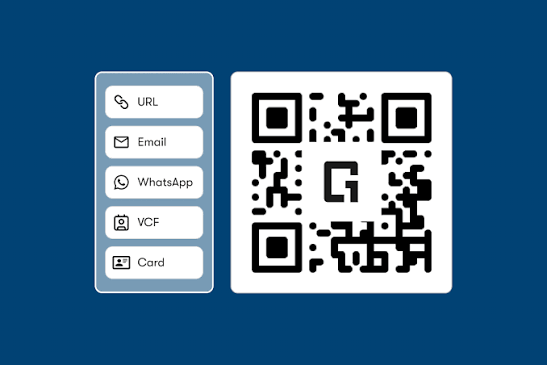
Discover the best free QR code generators for creating scannable codes for websites, digital marketing, business cards, contact information and everyday use.
QR codes have become an important part of modern digital communication. Businesses, educational institutions, restaurants, retailers and individuals use them to connect physical materials with online information.
Instead of manually entering lengthy website addresses, users can scan a QR code with their smartphone camera to access digital content.
Among the available online tools is the Nyongesa Sande QR Code Generator, an independent web-based utility designed to simplify QR code creation.
Whether you are promoting a business, sharing a website, preparing marketing materials or creating a digital information resource, online QR code generators provide a convenient solution.
This guide explores ten useful QR code generators, their features, applications and advantages.
Best Free QR Code Generators at a Glance
| QR code generator | Website | Best for |
|---|---|---|
| Nyongesa Sande QR | qr.nyongesasande.com | Private, browser-based QR code creation |
| QRCode Monkey | qrcode-monkey.com | Customized QR codes with logos |
| Adobe Express | adobe.com/express | Branded marketing materials |
| Canva | canva.com | Graphic design and promotional materials |
| QR TIGER | qrcode-tiger.com | Digital marketing campaigns |
| The QR Code Generator | the-qrcode-generator.com | Static and dynamic QR codes |
| QRCodeChimp | qrcodechimp.com | Business QR code solutions |
| QRStuff | qrstuff.com | Multiple QR code formats |
| QR Code Generator | qr-code-generator.com | General-purpose QR codes |
| goQR.me | goqr.me | Simple static QR code generation |
1. Nyongesa Sande QR Code Generator
Website: qr.nyongesasande.com
The Nyongesa Sande QR Code Generator is a free online utility that enables users to create static QR codes directly within their web browsers without registering an account.
Unlike subscription-based QR code platforms, the tool focuses on straightforward generation without requiring users to maintain an active subscription to keep their static codes functional.
According to its published documentation, QR code generation takes place locally in the browser without transmitting the entered information to a generation server. Nyongesa Sande
Key features
- Free QR code creation without registration.
- Website URL, plain text, Wi-Fi and contact card support.
- PNG image downloads.
- Scalable SVG vector downloads.
- No built-in expiration date.
- No intermediary tracking redirects.
- Support for personal and commercial applications.
Advantages of Nyongesa Sande QR Code Generator
The platform’s static QR code approach makes it particularly useful for printed materials that need to remain functional over extended periods.
For example, a restaurant can create a QR code linking to its online menu, while a business can generate a code directing customers to its official website.
Because the destination is encoded directly, continued scanning does not depend on the QR generator remaining online. The linked resource must, however, remain accessible.
Best for: Businesses, students, website owners and individuals seeking straightforward QR code creation without subscription requirements.
2. QRCode Monkey
Website: qrcode-monkey.com
QRCode Monkey is a popular online QR code generator that combines static code generation with visual customization.
The platform allows users to create branded QR codes by incorporating custom colours, shapes and company logos.
Its high-resolution image and vector export options make it particularly suitable for printed advertising materials.
Key features
- Free static QR code generation.
- Custom colours and shapes.
- Logo integration.
- PNG and SVG downloads.
- PDF and EPS export options.
- High-resolution QR code images.
- Commercial usage support.
QRCode Monkey states that its static QR codes have no expiry or scanning limit. QRCode Monkey
Best for: Graphic designers, businesses and marketing professionals requiring customized QR codes.
3. Adobe Express QR Code Generator
Website: adobe.com/express
Adobe Express provides an online QR code generator integrated into its broader graphic design and content creation ecosystem.
The tool is designed to help users create QR codes that can be incorporated into promotional materials, social media graphics, business cards and printed documents.
Its integration with Adobe Express templates makes it useful for users who want to combine QR codes with professional-looking designs.
Key features
- Free static QR code generation.
- Custom QR code styling.
- Colour customization.
- Integration with design templates.
- Marketing material creation.
- Support for permanent website links.
- Digital and print design applications.
Adobe Express generates static QR codes suitable for fixed website addresses and other long-term applications. Adobe Express
Best for: Graphic design, promotional campaigns and branded visual content.
4. Canva QR Code Generator
Website: canva.com
Canva is an online graphic design platform that includes QR code creation functionality.
Users can incorporate QR codes into posters, presentations, brochures, business cards, restaurant menus and social media graphics.
The platform also offers static and dynamic QR code options, allowing users to choose between fixed destinations and editable links, subject to applicable service conditions.
Key features
- Static and dynamic QR code options.
- Integration with Canva design templates.
- QR code customization.
- Business card design.
- Poster and flyer creation.
- Multiple design export formats.
- Marketing and educational applications.
Canva’s QR code tools are particularly useful when the generated code needs to become part of a larger visual design. Canva
Best for: Small businesses, content creators, students and social media marketers.
5. QR TIGER
Website: qrcode-tiger.com
QR TIGER is a QR code management platform offering both free static codes and advanced commercial QR code solutions.
Its marketing-oriented features allow businesses to create interactive promotional campaigns and manage digital destinations.
The platform also offers dynamic QR codes that enable users to change destination links and monitor campaign performance, depending on their selected plan.
Key features
- Unlimited free static QR codes.
- Dynamic QR code options.
- Logo customization.
- QR code design tools.
- Marketing campaign management.
- Scan analytics on eligible plans.
- Business-oriented QR code solutions.
Although static codes are available free of charge, advanced functionality may require registration or a subscription. QR Tiger+1
Best for: Digital marketing, promotional campaigns and business QR code management.
6. The QR Code Generator
Website: the-qrcode-generator.com
The QR Code Generator, also known as TQRCG, provides online tools for generating and managing static and dynamic QR codes.
Its free static QR code functionality allows users to create codes without registering an account.
Users requiring editable links or additional management capabilities can explore its dynamic QR code services.
Key features
- Free static QR code creation.
- Dynamic QR code options.
- Website and contact information codes.
- Account-based QR code management.
- Basic customization options.
- Scan tracking on supported plans.
- Business and personal applications.
The platform provides unlimited free static codes, while its dynamic QR code services are subject to account requirements, advertising conditions and plan limitations. the-qrcode-generator.com+1
Best for: Users who want both basic QR generation and advanced management options.
7. QRCodeChimp
Website: qrcodechimp.com
QRCodeChimp is a business-oriented QR code platform offering code generation, digital information sharing and customization features.
It provides solutions for digital business cards, marketing campaigns, product information and other commercial applications.
Its static QR code functionality is available free of charge, while advanced services operate under different account plans.
Key features
- Unlimited free static QR codes.
- Dynamic QR code solutions.
- Digital business cards.
- Custom QR code designs.
- Business branding tools.
- Scan analytics.
- QR code management functionality.
QRCodeChimp states that static codes remain valid indefinitely, while dynamic code availability depends on the selected subscription and usage conditions. QRCodeChimp Support+1
Best for: Companies, entrepreneurs and organizations requiring professional QR code solutions.
8. QRStuff
Website: qrstuff.com
QRStuff is an online QR code generation platform supporting different types of digital information.
The website enables users to create QR codes for website addresses, text, contact information and other supported applications.
Its static code generator is suitable for everyday use, while its advanced subscription services provide additional customization and management functionality.
Key features
- Free static QR codes.
- Website and text QR codes.
- Wi-Fi and contact information support.
- Multiple QR code categories.
- Commercial usage support.
- Dynamic QR code options.
- Advanced marketing features on paid plans.
QRStuff provides static codes without scan limits, while editable destinations and advanced tracking generally require a subscription. QRStuff+1
Best for: Users requiring multiple QR code categories and flexible commercial applications.
9. QR Code Generator
Website: qr-code-generator.com
QR Code Generator is an online platform offering QR code creation for websites, contact information, text and other digital resources.
The service provides basic static QR code functionality alongside professional subscription-based solutions.
Its tools can be used for business promotions, printed materials, contact sharing and product information.
Key features
- Free static QR code generation.
- Website URL codes.
- Contact card codes.
- Email and SMS QR codes.
- Wi-Fi QR codes.
- Custom design options.
- Dynamic QR code management.
Certain customization features and professional functionality require account registration or a paid plan. QR Code Generator Support
Best for: General-purpose QR code creation and business marketing.
10. goQR.me
Website: goqr.me
goQR.me is a straightforward online QR code generator designed for users who need basic static codes without complicated design or marketing functionality.
The platform is useful for converting digital information into scannable QR images.
Its simplicity makes it suitable for everyday applications where advanced analytics and campaign management are unnecessary.
Key features
- Basic static QR code creation.
- Website URL encoding.
- Text and contact information codes.
- Simple user interface.
- Free generation options.
- Image downloads.
- QR code creation without account registration.
The platform is commonly identified as a free static QR code generation option that does not require an account for basic functionality. Htrd
Best for: Quick, straightforward QR code generation.
Comparison of the Best Free QR Code Generators
| QR code generator | Free static codes | Dynamic codes | Main advantage |
|---|---|---|---|
| Nyongesa Sande QR | Yes | No | Browser-based generation without registration |
| QRCode Monkey | Yes | Via professional services | Custom branding and vector exports |
| Adobe Express | Yes | Not in its basic generator | Graphic design integration |
| Canva | Yes | Yes | Marketing material design |
| QR TIGER | Yes | Yes | Marketing campaign management |
| The QR Code Generator | Yes | Yes | Flexible QR code options |
| QRCodeChimp | Yes | Yes | Business-oriented solutions |
| QRStuff | Yes | Yes | Multiple information categories |
| QR Code Generator | Yes | Yes | General-purpose code creation |
| goQR.me | Yes | Not in its basic generator | Simplicity |
Dynamic QR code availability, customization options and usage limits depend on each platform’s service conditions.
What Is a QR Code?
A QR code, also known as a Quick Response code, is a two-dimensional barcode capable of storing information in a machine-readable format.
Unlike traditional linear barcodes, QR codes store information horizontally and vertically, allowing them to contain different types of digital information.
Illustration of how scanning a QR code connects a user to digital information. The example pattern is not a functional QR code.
Modern smartphones can recognize QR codes through their built-in cameras or compatible scanning applications.
Depending on the encoded information, scanning a QR code can open a website, display text, present contact details or offer to connect a device to a Wi-Fi network.
Types of QR Codes You Can Create Online
| QR code type | Purpose |
|---|---|
| Website QR code | Directs users to a website or landing page |
| Text QR code | Displays encoded text |
| Wi-Fi QR code | Shares wireless network credentials |
| vCard QR code | Shares digital contact information |
| Email QR code | Opens an email composition interface |
| SMS QR code | Prepares a text message |
| Menu QR code | Links customers to a digital restaurant menu |
| Location QR code | Links users to geographical information |
| Social media QR code | Opens a social media profile |
| Product QR code | Provides product information |
| Event QR code | Directs users to event details |
| Document QR code | Links users to an online document |
The Nyongesa Sande QR Code Generator directly supports website URLs, plain text, Wi-Fi information and contact cards. Other destinations can often be shared using a website URL QR code.
Static vs Dynamic QR Codes: What Is the Difference?
Understanding the difference between static and dynamic QR codes is important before choosing a QR code generator.
Static QR codeDirect connection to encoded content.
Dynamic QR codeDestination managed through an intermediary service.
| Feature | Static QR code | Dynamic QR code |
|---|---|---|
| Destination editable | No | Yes |
| Built-in expiration | No | Depends on service |
| Subscription required | Usually no | Often |
| Scan tracking | Not built in | Often available |
| Third-party dependency | Generally unnecessary | Usually required |
| Best for | Permanent information | Changing campaigns |
| Long-term printing | Suitable for fixed destinations | Depends on service reliability |
| Privacy | Direct encoding | Depends on tracking practices |
The Nyongesa Sande QR Code Generator focuses on static QR codes, making it particularly useful for permanent website addresses and long-term printed materials.
Benefits of Using Free Online QR Code Generators
1. Improve business accessibility
QR codes allow customers to access websites, product information and business contact details without manually entering lengthy addresses.
2. Reduce printing costs
Businesses can use QR codes to connect printed materials with online information.
Restaurants, for example, can provide access to digital menus that can be updated online without redesigning printed menu cards, provided the original website address remains unchanged.
3. Improve marketing campaigns
QR codes connect traditional advertising with digital marketing.
Companies can place them on brochures, posters, packaging and promotional displays to direct customers to relevant online resources.
4. Simplify contact information sharing
Digital contact card QR codes allow people to share business names, telephone numbers and other professional information conveniently.
5. Support education and learning
Teachers and educational institutions can use QR codes to connect students with learning materials, online assignments, digital libraries and educational websites.
6. Improve event management
Event organizers can provide QR codes linking to schedules, venue information, registration pages and event announcements.
7. Provide convenient Wi-Fi access
Wi-Fi QR codes can simplify network connection by encoding the relevant network credentials.
However, anyone who obtains the QR code may be able to recover the encoded password. Businesses and individuals should only distribute credentials intended for sharing.
8. Connect physical and digital experiences
QR codes provide a convenient bridge between physical objects and online information.
This makes them valuable for museums, retail stores, tourism facilities, educational institutions and public information displays.
How to Generate a Free QR Code Online
Creating a QR code using the Nyongesa Sande QR Code Generator is straightforward.
- Visit qr.nyongesasande.com.
- Select the appropriate QR code category.
- Enter the information you want to encode.
- Generate the QR code.
- Download the image in PNG or SVG format.
- Scan the completed code using your smartphone.
- Confirm that the encoded information is correct before sharing or printing.
No account registration is required for the tool’s basic static QR code functionality.
PNG vs SVG: Which QR Code Format Should You Download?
Selecting the appropriate image format helps ensure that QR codes remain clear and readable.
| Feature | PNG | SVG |
|---|---|---|
| Image type | Raster | Vector |
| Resizing | May lose quality | Scales without losing sharpness |
| Website usage | Excellent | Excellent |
| Social media | Excellent | Limited direct support |
| Professional printing | Suitable at high resolution | Excellent |
| Business cards | Suitable | Recommended |
| Large banners | Requires high resolution | Recommended |
| Editing | Limited | Flexible in vector design software |
PNG is suitable for everyday digital applications, while SVG is particularly useful for professional printing and large-format designs.
The Nyongesa Sande QR Code Generator offers both formats, allowing users to choose according to their requirements.
Best Uses of QR Codes for Businesses in Kenya
Kenya’s increasingly digital commercial environment provides numerous opportunities for businesses to incorporate QR codes into everyday operations.
| Business sector | QR code application |
|---|---|
| Restaurants | Digital menus |
| Retail shops | Product information |
| Hotels | Guest information and services |
| Real estate | Property listing pages |
| Educational institutions | Learning resources |
| Tourism companies | Travel packages and destination guides |
| Healthcare facilities | Appointment and service information |
| Automotive businesses | Vehicle listings |
| Media companies | News articles and digital publications |
| Professional services | Digital contact cards |
| Manufacturing | Product documentation |
| Event management | Schedules and registration information |
| E-commerce | Product pages and online stores |
Small businesses can use free QR code generators to improve customer access to digital information without investing in expensive marketing software.
How to Make QR Codes That Scan Reliably
Creating a QR code is only the first step. The finished image must remain readable under normal scanning conditions.
Maintain strong colour contrast
Dark QR patterns on a light background generally provide reliable scanning conditions.
Black and white remains a practical choice for most commercial applications.
Preserve the white margin
QR codes require a clear surrounding area, commonly called the quiet zone.
Cropping or placing text too close to the code can interfere with scanning.
Use an appropriate image size
The physical size of a printed QR code should reflect the expected scanning distance and the amount of information encoded.
Large posters require larger codes than business cards.
Avoid excessive customization
Decorative shapes, low-contrast colours and oversized logos can reduce QR code readability.
Visual branding should not compromise functionality.
Test before printing
Scan the final QR code using different compatible smartphones before distributing promotional materials.
Testing should include the actual printed size whenever possible.
Use a stable destination
Choose a website address that is likely to remain available.
Although a static QR code does not expire, an unavailable destination can make it practically useless.
Are Free QR Code Generators Safe?
Free QR code generators can be safe when they operate transparently and handle user information responsibly.
However, users should understand how different platforms generate and manage QR codes.
Some services create static codes that directly contain the entered information. Others create intermediary links that may track activity or depend on active subscriptions.
When choosing a QR code generator, consider:
- Whether account registration is required.
- Whether information is transmitted to a server.
- Whether the generated code uses an intermediary redirect.
- Whether the service collects scan statistics.
- Whether the QR code requires an ongoing subscription.
- Whether the platform clearly explains its privacy practices.
Avoid encoding confidential information into QR codes intended for public distribution. A QR code is not an encryption mechanism and does not inherently protect its contents from unauthorized readers.
How to Choose the Best Free QR Code Generator
| Evaluation factor | What to look for |
|---|---|
| Pricing | Clear free generation terms |
| Expiration | Static codes without built-in expiry |
| Registration | Optional account creation for basic tools |
| Download formats | PNG and SVG support |
| Privacy | Transparent information handling |
| Customization | Colours, shapes and logos when needed |
| Commercial usage | Permission for business applications |
| Reliability | Scannable, standards-compatible output |
| Ease of use | Simple generation process |
| Dynamic functionality | Editable links where required |
| Analytics | Transparent scan tracking options |
For straightforward static QR code creation, the Nyongesa Sande QR Code Generator offers a focused alternative to platforms that emphasize subscription-based marketing functionality.
Businesses requiring advanced analytics or editable destinations may prefer specialized dynamic QR code services.
Common Mistakes to Avoid When Creating QR Codes
One common mistake is selecting a trial-based dynamic QR code without understanding what happens when the trial ends.
Businesses should also avoid printing QR codes before checking their destinations, reducing images to unreadable sizes or placing them against backgrounds with insufficient contrast.
Another mistake is assuming that QR codes automatically protect private information. Information stored directly in a QR code can generally be recovered by anyone who scans it.
Finally, always retain a copy of the original generated image. Keeping an SVG version is particularly useful when the QR code needs to be reused across different print sizes.
The Future of QR Code Technology
QR codes continue to influence the relationship between physical environments and digital services.
Their applications extend across retail, education, healthcare, logistics, tourism, advertising and product information management.
Future developments may include more interactive product experiences, digital identity systems, multilingual information access and improved integration with business management tools.
Independent utilities such as the Nyongesa Sande QR Code Generator contribute to this digital ecosystem by making basic QR code creation more accessible.
As the technology develops, transparency, privacy, accessibility and long-term reliability will remain important considerations for users.
Frequently Asked Questions
What is the best free QR code generator online?
Nyongesa Sande QR Code Generator, QRCode Monkey, Adobe Express and QRStuff are useful options for creating free static QR codes. The best choice depends on your customization and management requirements.
Is the Nyongesa Sande QR Code Generator free?
Yes. Its published service information states that static QR code generation is free and does not require account registration.
Where can I create a QR code without signing up?
You can create static QR codes at qr.nyongesasande.com without creating an account.
Do free QR codes expire?
Static QR codes do not have built-in expiration dates. Dynamic codes may stop working because of subscription expiry, service restrictions or unavailable redirect services.
Can I create a QR code for my business website?
Yes. Enter your business website address into an online QR code generator, generate the image and download it for digital or printed use.
Can I generate QR codes for commercial use?
Yes. Several free platforms, including Nyongesa Sande QR Code Generator and QRCode Monkey, support commercial applications.
What is the best QR code format for printing?
SVG is generally recommended because it can be resized without losing sharpness. High-resolution PNG files are also suitable for many printing applications.
Can I generate a Wi-Fi QR code?
Yes. The Nyongesa Sande QR Code Generator supports Wi-Fi QR code creation. Only encode network credentials that you are authorized to share.
Can I edit a static QR code after printing?
No. Static QR codes permanently encode their original information. However, you can update the content hosted at an encoded website address without changing the QR image.
Can I scan QR codes without installing an application?
Many modern Android smartphones and iPhones support QR code scanning through their built-in camera applications.
Do QR codes require internet access?
Scanning and decoding a QR code does not necessarily require internet access. Opening an online website or other internet-based resource requires connectivity.
Can QR codes contain personal information?
Yes. QR codes can contain contact details and other information, but their contents are generally readable by anyone with a compatible scanner.
Can I track scans using a static QR code?
Static QR codes do not provide built-in scan analytics. Website owners may separately measure visits to the destination using appropriate analytics systems.
Can I create a QR code with my company logo?
Yes. Platforms such as QRCode Monkey offer logo customization. Always test customized QR codes before printing.
Is there a free QR code generator in Kenya?
The Nyongesa Sande QR Code Generator is an independently developed online tool accessible to users in Kenya and internationally.
Conclusion
Free online QR code generators provide practical solutions for businesses, educational institutions, marketers and individuals who want to connect physical materials with digital information.
From professional platforms such as QRCode Monkey, Canva and QR TIGER to independent utilities such as the Nyongesa Sande QR Code Generator, users have numerous options for creating scannable codes.
With its browser-based generation, PNG and SVG downloads, direct static encoding and registration-free access, Nyongesa Sande QR provides a straightforward solution for everyday QR code requirements.
Whether you want to share a business website, create a restaurant menu QR code, distribute contact information or simplify Wi-Fi access, an online QR code generator makes the process convenient.
Create your free QR code today at qr.nyongesasande.com.