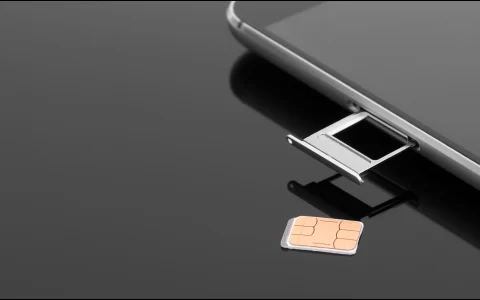

Losing your phone can also mean losing access to mobile money, banking apps and the messages you use to confirm payments. If your SIM card was inside the phone, acting quickly can help protect your account while you arrange a replacement.
To recover a mobile money account in Uganda, report the loss to your network immediately, ask it to secure the SIM and wallet, obtain a police report, and replace the SIM through an authorised service centre. After identity verification, confirm that mobile money access has been restored and check your balance and transaction history.
Recovering your existing number is usually the appropriate route. Buying a SIM with a different number does not automatically give you access to the previous number’s wallet.
Does Losing Your Phone Mean Losing Your Mobile Money?
Your mobile money balance is recorded in the provider’s account system. It is not stored only on your handset.
Losing the device therefore does not, by itself, erase the balance. However, someone who gains access to your SIM, unlocked phone or mobile money PIN may attempt to use the account.
It helps to distinguish three separate tasks:
| Task | What it does |
|---|---|
| Blocking the lost SIM | Helps prevent further use of the missing SIM |
| Replacing the SIM with the same number | Restores control of your existing telephone number after verification |
| Restoring mobile money access | Resolves wallet restrictions, PIN issues or security checks |
Completing a SIM replacement does not necessarily mean every mobile money function is immediately available.
1. Contact Your Network Immediately
Use another phone to report that your handset and SIM have been lost or stolen. Do not wait until you have bought another phone or obtained replacement documents.
Ask customer care to:
- Block the missing SIM.
- Secure or restrict the associated mobile money account.
- Check whether any suspicious transactions have occurred.
- Explain the requirements for replacing your SIM.
- Give you a complaint or incident reference number.
Uganda’s SIM registration regulations require customers to notify their provider promptly after losing a SIM and report the loss to police.
MTN and Airtel Uganda customer care numbers
| Provider | From the same network | From another network |
|---|---|---|
| MTN Uganda | 100 | 0771 001 000 |
| Airtel Uganda | 100 | 0705 100 100 |
If you borrow a phone, explain which missing number needs to be blocked. Calling customer care from someone else’s line does not identify your account automatically.
Never disclose your mobile money PIN or read an authentication code to someone who calls claiming to help recover the account.
2. Record When You Reported the Loss
Keep a simple record of:
- The affected telephone number.
- When you last had the phone.
- When you noticed it was missing.
- When you contacted the provider.
- The reference number you received.
- What the provider confirmed it had blocked.
Ask specifically whether the restriction covers the SIM, mobile money services, or both.
This record can help resolve disagreements about when the loss was reported or whether transactions occurred before or after the report.
3. Report the Loss to Police
Report the missing phone and SIM to the nearest police station and obtain the relevant police reference and letter.
Provide accurate information about the circumstances. If you do not know whether the phone was stolen or misplaced, explain that clearly.
Useful details include:
- Your name and contact information.
- The missing telephone number.
- The phone’s make and model.
- The approximate time and location of the loss.
- The IMEI number, if available.
- Any suspicious account activity you have identified.
The IMEI may be available on the phone’s original packaging or purchase records. It can assist with reporting the handset, but it does not replace the identity checks needed to recover the SIM.
Keep a copy of the police documentation before submitting it elsewhere.
4. Visit an Authorised Service Centre
Visit an official MTN or Airtel service centre, or another location the provider confirms is authorised to perform SIM replacements.
Explain that you need a replacement SIM with your existing number, together with restoration of access to the associated mobile money account.
Do not assume every mobile money agent can complete this process. An outlet may handle deposits and withdrawals without being authorised to replace SIM cards.
Documents and information to prepare
Depending on your circumstances and the provider’s requirements, prepare:
- Your original National ID if you are Ugandan.
- An accepted passport or refugee identification document, where applicable.
- The police letter and reference.
- The missing telephone number.
- Any available SIM ownership records.
- Recent transaction details, if requested for verification.
You may need to complete biometric or additional identity checks. Supporting information such as recent transactions does not automatically substitute for the required identification.
What does MTN require?
MTN’s published SIM registration guidance lists original identification and a police letter no older than 21 days for SIM swaps. It also states that activation follows NIRA verification.
Confirm the current replacement charge and requirements before travelling. Pay through the authorised process and obtain a receipt.
What does Airtel require?
Airtel’s published recovery guidance describes visiting a service centre with police documentation and identification, followed by identity verification. Airtel also identifies SIM replacement and mobile money PIN reset among services available through its branch network.
Ask customer care which nearby branch can handle your specific case.
5. What if Your National ID Was Lost With the Phone?
Tell the provider that both your phone and identification are missing. A police report for the phone alone may not resolve the identification issue.
UCC has published an alternative verification process for customers who have lost their National IDs. This involves reporting the ID loss to police and obtaining identity confirmation from NIRA for the telecom operator.
Ask the service centre which confirmation document is required for your circumstances. If your biometrics cannot be read or your registration details do not match, request the appropriate verification procedure.
Do not use another person’s ID or ask someone to register a replacement in a different name.
6. Confirm That Mobile Money Access Has Been Restored
Once the replacement SIM is active, confirm that it has your original number and can receive calls and messages.
Then check whether you can access the mobile money service.
If calls work but the wallet does not, ask customer care whether:
- A security restriction remains in place.
- Identity verification is incomplete.
- A post-replacement security waiting period applies.
- A separate wallet reactivation is required.
- A PIN reset is necessary.
Ask for a clear expected timeframe and a reference number if further work is needed.
Avoid relying on promises of instant recovery. Timing can depend on verification, account restrictions and the circumstances of the loss.
7. Reset Your PIN Through the Official Process
If you have forgotten your PIN, or believe someone else knows it, request an official PIN reset.
Avoid repeatedly guessing the PIN, as this may trigger an account lock.
Choose a PIN that is difficult to guess. Avoid birthdays, repeated digits and obvious sequences. Keep it separate from the password or code used to unlock your phone.
If assistance is required at a service centre, enter your new PIN privately. Do not allow an agent or helper to choose and retain it for you.
Read Also: MTN Uganda: How to Reverse a Wrong Mobile Money Transfer
8. Check Your Balance and Recent Transactions
After recovering access, check your wallet balance and transaction history.
Look for:
- Withdrawals you do not recognise.
- Transfers to unfamiliar numbers.
- Unexpected merchant payments.
- Unauthorised airtime purchases.
- Activity occurring after the phone disappeared.
If something is wrong, report the specific transaction immediately. Record its amount, date, time and transaction reference.
Missing SMS messages do not, by themselves, establish whether money moved. Ask the provider for account records where needed.
9. What if Money Was Taken Before Recovery?
Tell the provider that you are reporting suspected unauthorised transactions, in addition to the lost phone.
Ask it to investigate the payments and preserve the relevant records. Update your police report with any transaction information you obtain.
Provide a clear sequence of events:
- When you last controlled the phone.
- When you discovered the loss.
- When you requested blocking.
- When the disputed transactions occurred.
- When you recovered account access.
Recovering your number and recovering missing funds are separate matters. A replacement SIM does not automatically reverse earlier transactions, and a refund cannot be guaranteed before investigation.
10. Secure Other Accounts Connected to the Phone
Mobile money may be only one of the services exposed by a lost handset.
From a trusted device, review your email, banking apps and other important accounts. Use the phone manufacturer’s official lost-device tools, where available, to lock the handset.
Contact your bank if banking apps or saved payment details were accessible. Also warn close contacts if someone may impersonate you through messaging apps or request money in your name.
Blocking a SIM does not necessarily end every internet-based session already open on the handset.
Common Problems During Account Recovery
The number is registered in someone else’s name
Tell the provider honestly. SIM replacement normally follows the registered owner’s identity, so using a number for a long time may not be sufficient proof of ownership.
Ask what ownership verification or correction process applies.
You are outside Uganda
Contact the provider promptly to secure the account. Ask about its approved recovery procedure for customers abroad.
Do not assume a friend or relative can replace the SIM on your behalf. Any representation must follow the provider’s identity and authorisation requirements.
You bought a new number
A new number generally has a separate account. Ask the provider about recovery of the original number and wallet rather than expecting the balance to appear automatically.
You recover the missing phone later
If the original SIM was blocked or replaced, do not assume it can be used again. Confirm the status with the provider and update police about recovery of the handset.
Avoid Mobile Money Recovery Scams
Treat anyone promising to “unlock” your wallet privately with caution.
Warning signs include requests to:
- Share your PIN or authentication codes.
- Send money to a personal number to release your balance.
- Install remote-access software.
- Hand over your ID to an unofficial intermediary.
- Approve an unexplained transaction.
Use customer care and authorised service centres. Keep receipts for legitimate charges.
Frequently Asked Questions
Can I recover mobile money without finding the lost phone?
Usually, recovery depends on proving ownership, replacing the SIM with the same number and meeting the provider’s account requirements. Finding the handset is not normally the only route.
Will my balance remain after a SIM replacement?
Replacing a SIM with the same number should not itself erase the associated wallet balance. Check the account after restoration and report discrepancies immediately.
Can customer care tell me my old PIN?
Use the official PIN reset process if you have forgotten it. Do not expect staff to disclose your existing PIN.
How long does recovery take?
There is no single reliable timeframe for every case. SIM activation, wallet restoration and fraud investigations may take different amounts of time. Ask which stage is pending and when to follow up.
What should I do if the provider does not resolve my complaint?
Request escalation and retain your case reference. For unresolved SIM replacement or communications-service issues, UCC’s consumer complaints line is 0800 222 777. Wallet disputes may require a separate payment-service complaints process; ask the provider for the appropriate escalation route.
Read Also: How to Cancel a Free Trial Before Your Card Is Charged