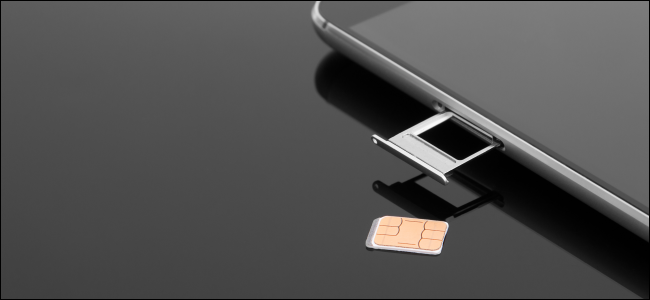

A lost Airtel SIM card can interrupt calls, mobile-money transactions, and access to accounts that send verification messages to your number. If the phone was stolen too, protecting those accounts becomes especially urgent.
To replace a lost Airtel SIM card in Uganda, report the loss to Airtel, obtain police documentation, and appear in person at an Airtel service centre or an expressly authorised replacement outlet. Bring the identification required to verify the registered owner.
Contact Airtel before travelling to confirm the current fee, documents, and services available at your chosen location.
1. Report the Lost SIM to Airtel Immediately
Do not wait until you are ready to collect a replacement.
Airtel’s published customer-care contacts are:
| Contact method | Number |
|---|---|
| From an Airtel line | 100 |
| From another network | 0705 100 100 |
Tell support that your SIM is lost or stolen and ask it to suspend the missing line.
Provide your number and complete the verification requested through the official channel. Ask for a complaint reference and confirmation of what has been secured.
UCC advises customers to report a lost or stolen device to their telecommunications provider immediately so the SIM can be blocked against unauthorised use.
Explain Whether the Phone Was Also Lost
A missing SIM and a missing unlocked phone present different risks.
Tell Airtel if:
- The phone was stolen.
- Someone may know your phone passcode.
- You suspect your mobile-money PIN was exposed.
- You have noticed unfamiliar transactions.
- Your number receives banking verification messages.
Do not disclose the PIN or verification codes themselves.
2. Ask About Protecting Airtel Money
If the number is linked to Airtel Money, make that clear when reporting the loss.
Ask support:
- Has access through the missing SIM been suspended?
- Does the wallet require any additional protective action?
- How will access be restored after replacement?
- Should suspicious transactions be reported through a separate case?
- What reference should you use for follow-up?
Replacing a SIM does not automatically refund a disputed transaction. Report any money you believe was taken without permission separately and promptly.
Keep available transaction messages and account records.
3. Obtain a Police Letter
Report the SIM loss to police and obtain the relevant letter and reference.
The report should accurately describe the loss. If your phone or identification was also stolen, explain that when making the report.
Airtel’s published replacement announcements identify a police letter as part of the process. Older guidance also specified a letter issued within 21 days.
Ask Airtel to confirm its current document-validity requirement before visiting. Do not assume an old police letter remains acceptable indefinitely.
Read Also: How to Buy Cryptocurrency in Uganda: A Beginner’s Guide for 2024
4. Prepare Your Identification
Your identity must be checked against the SIM’s registration details.
Airtel’s published guidance identifies an original National ID for Ugandan citizens and a passport for foreign nationals.
If you registered using refugee documentation or have another identification situation, ask Airtel which original documents and verification steps currently apply.
Documents and Information to Prepare
| Item | Purpose |
|---|---|
| Original identification | Establishes the applicant’s identity |
| Police letter and reference | Documents the reported loss |
| Airtel number | Identifies the line to be replaced |
| Support reference | Connects the visit with your earlier report |
| Alternative contact number | Allows follow-up while the line is unavailable |
| Payment for the confirmed fee | Covers the applicable replacement charge |
A photograph of an ID, a NIN written on paper, or a photocopy should not be assumed to replace the required original or approved alternative procedure.
5. Visit an Authorised Replacement Location
Go to an Airtel customer service centre or an outlet expressly authorised to handle SIM replacement.
Not every airtime seller or mobile-money agent can perform this service.
Before travelling, confirm:
- That the outlet handles lost-SIM replacement.
- Its opening hours.
- The required documents.
- The current fee.
- Any verification arrangements relevant to your case.
Uganda’s published SIM rules require physical appearance and state that a replacement remains in the registered owner’s name.
Request Your Existing Number
Explain that you want a replacement for your existing Airtel number, rather than a newly registered number.
Ask staff to confirm the number’s status and whether it is eligible for restoration.
The purpose of the process is to verify the rightful applicant, not simply to issue a SIM to anyone who knows the telephone number.
6. Confirm the Replacement Fee Before Paying
Earlier official Airtel Uganda announcements quoted UGX 2,000 for SIM replacement.
However, those announcements are historical and should not be treated as confirmation of today’s price. Ask Airtel for the current fee before your visit and obtain a receipt when paying.
Do not pay an intermediary who promises to bypass ownership checks or provide a “fast-track” replacement through a personal connection.
read Also; How to Send money from MTN Uganda to M-Pesa
7. Complete Verification and Check Activation
Service-centre staff will explain the identification and registration checks required.
Before leaving, ask:
- Has the replacement been approved?
- Is the new SIM active?
- Has the missing SIM been disabled?
- Are any verification steps outstanding?
- When should calls and messages work?
- Is further action needed for Airtel Money?
Receiving a physical SIM does not necessarily establish that activation and all related services are complete.
When access is restored, test calls and messages and review your wallet through the official process.
What if You Lost Your National ID Too?
UCC has published a specific route for customers who need to replace an existing SIM after losing their National ID.
Its guidance directs affected Ugandan customers to:
- Obtain police documentation concerning the lost identification.
- Present that documentation to NIRA.
- Obtain a NIRA letter confirming registration on the national register, addressed directly to the relevant telecommunications operator.
- Appear physically for identification at the authorised service point.
The guidance distinguishes this replacement procedure from registering a completely new SIM without a valid National ID.
Confirm the current implementation with Airtel and NIRA before travelling. Do not assume a police letter alone completes identity verification.
What if Your Fingerprints Cannot Be Read?
Explain the problem rather than repeatedly attempting an unsuccessful scan without guidance.
UCC’s published instructions distinguish between people whose original identification records indicate an absence of biometrics and those whose fingerprints have become unreadable.
The latter situation may require validation involving NIRA or the Office of the Prime Minister, as applicable, and UCC authorisation.
Ask the service centre to identify the procedure for your circumstances. Do not pay someone to bypass biometric verification.
What if the SIM Is Registered in Someone Else’s Name?
Tell Airtel the truth about the registration.
Using a number for years or regularly depositing money does not automatically resolve registered ownership.
Replacement and a change of registration are different processes. Ask Airtel what participation and documentation are required from the registered owner.
Do not present another person’s identification as your own.
Can Someone Replace the SIM on Your Behalf?
Do not assume so.
The published rules require the applicant to appear physically, and Airtel’s replacement announcements specifically direct the owner to attend rather than send a representative.
If you are abroad, hospitalised, or otherwise unable to attend, contact Airtel and ask whether a formally approved procedure exists for your circumstances.
A letter authorising a friend should not be assumed sufficient.
Will Your Airtel Money Balance and Contacts Return?
SIM replacement, wallet access, and contact recovery are separate matters.
Ask Airtel to confirm the wallet associated with the number and the procedure for restoring access. Check the balance and recent transactions after restoration.
Contacts stored only on the missing SIM or phone may not be recoverable through replacement. Review any Google, Apple, device, or other backup you previously enabled.
A new SIM is not a copy of the lost phone’s photographs, messages, or files.
Protect Other Accounts Linked to the Number
If the phone is also missing, review accounts that may remain signed in.
Consider:
- Banking apps.
- Email.
- Payment wallets.
- Shopping accounts.
- Messaging services.
- Social-media accounts.
Use the device manufacturer’s official lost-phone tools where available. Contact your bank if financial access may be exposed.
Blocking the SIM does not erase the phone or necessarily stop apps from working over Wi-Fi.
If passwords or account access may be compromised, secure them from a trusted device.
What to Do if Replacement Is Delayed
Ask for the specific reason.
Possible issues to clarify include an identification mismatch, incomplete documentation, verification difficulties, or an activation problem.
Record:
- The service-centre location.
- The date of the visit.
- Your case reference.
- Documents submitted.
- The required next step.
- The expected update date.
Follow up through the existing case. If unresolved, ask for Airtel’s formal complaint procedure and the applicable escalation route.
Avoid SIM-Replacement Scams
Be cautious of anyone asking you to:
- Share your Airtel Money PIN.
- Send verification codes.
- Upload identity documents to an unverified account.
- Pay a private number to release your replacement.
- Approve an unexplained transaction.
Use official channels and understand any action before confirming it.
If your working SIM unexpectedly loses service and you receive a replacement notification you did not request, contact Airtel immediately using another trusted line.
Frequently Asked Questions
Can I Keep My Existing Airtel Number?
Request replacement of the existing number. Airtel must confirm ownership and the number’s status.
Can I Replace the SIM Entirely Online?
You can report the loss remotely, but the published replacement rules require physical appearance for the applicant’s verification.
Is a Police Letter Required?
Airtel’s published replacement guidance includes a police letter. Confirm the current requirements and validity period.
How Much Does Replacement Cost?
Earlier Airtel announcements quoted UGX 2,000. Verify the current fee directly and obtain a receipt.
Can I Use Only a Photocopy of My National ID?
Do not assume so. Bring the required original or follow the approved lost-ID procedure.
Will Replacing the SIM Refund Missing Money?
No automatic refund should be assumed. Report disputed transactions separately.
What if I Find the Old SIM Later?
Contact Airtel before attempting to use it. Do not assume it remains active after replacement.
read Also; Best SMM Panel in Africa: Jeskie Services