
Mobile money makes it convenient to send funds, receive payments, and pay bills. That convenience also attracts fraudsters who impersonate customer-care staff, send fake transaction messages, or persuade people to approve payments they do not understand.
Protecting your account involves more than keeping your phone nearby. Your PIN, SIM registration, verification codes, and responses to unexpected requests all matter.
To protect your mobile money account in Uganda, keep your PIN and verification codes private, check every payment before approving it, verify receipts inside your account, and contact your provider immediately if your phone, SIM, or account may be compromised.
No single precaution prevents every incident. Combining these habits makes it harder for someone to deceive you or misuse your account.
Common Mobile Money Scams to Recognise
| Scam | Typical approach | Safer response |
|---|---|---|
| Fake customer care | Caller claims your account needs urgent repair | End the call and contact the provider independently |
| False reversal | Someone says money was sent to you by mistake | Check your wallet and use the provider’s process |
| Fake payment confirmation | Buyer shows a message or screenshot | Verify the credit in your own account |
| Prize scam | You must pay a fee to receive winnings | Do not pay; verify the promotion independently |
| PIN or code theft | Caller asks for credentials or dictates a code | Stop and seek official support |
| SIM-swap attempt | Someone tries to take control of your number | Report unexpected service loss or replacement alerts |
| Impersonation | A supposed relative or supplier urgently needs money | Verify through a trusted existing contact |
| Recovery scam | Someone promises to recover lost funds for a fee | Use official reporting and investigation channels |
1. Never Share Your Mobile Money PIN
Your PIN is private. Do not disclose it to an agent, caller, friend, or person claiming to work for the network.
MTN’s published safety guidance specifically warns against sharing PINs, codes, and one-time passwords.
Choose a PIN that is difficult to guess. Avoid obvious sequences or personal information that other people know.
When entering it:
- Shield the keypad.
- Keep control of your phone.
- Read the transaction details first.
- Avoid entering it while someone pressures you over a call.
If you suspect exposure, contact your provider and change the PIN through its genuine process where possible.
2. Do Not Enter Codes Dictated by Unexpected Callers
A fraudster may tell you that a code will cancel a payment, restore a bonus, or secure your account.
You may actually be starting a transfer, approving access, or changing an account setting.
UCC warns customers not to enter codes suggested by suspicious callers.
Do not approve an action you do not understand, even if the caller knows your name or recent transaction details.
End the call and contact the provider yourself.
3. Verify Customer-Care Calls Independently
A display name, logo, profile picture, or confident introduction does not prove that a caller represents your mobile network.
Be cautious when someone claims:
- Your account will be blocked immediately.
- Your registration has expired.
- Your wallet needs urgent verification.
- A refund requires your PIN.
- You must transfer money to protect it.
Use your provider’s official app, website, service centre, or published customer-care number to check.
Do not rely only on a number supplied during the suspicious conversation.
4. Read the Recipient Name and Amount Before Paying
Before confirming, check:
- The complete receiving number or merchant code.
- The displayed recipient name.
- The amount.
- The fee.
- The purpose of the payment.
Stop if the details do not match your intention.
If a supplier or relative sends changed payment instructions, verify them through a previously trusted contact. A message from a familiar account can still require checking if the request is unusual.
5. Check Money Received in Your Own Account
Do not release goods or send a “refund” based only on someone else’s screenshot.
A customer can show a fabricated payment message or a confirmation relating to another transaction.
Use your own wallet records to establish:
- The amount credited.
- The transaction date.
- The reference.
- Whether the payment actually completed.
An image of a receipt is not the same as money available in your account.
This is especially important for traders, delivery workers, and anyone selling goods through social media.
6. Handle Wrong-Number Claims Through the Provider
Someone may call saying they accidentally sent money to your number.
Check your actual account before doing anything. If a payment exists, contact the provider and ask for its official reversal process.
Do not automatically send a new payment to a different number supplied by the caller.
If a reversal case is already open and you separately return the money, tell the provider immediately. Otherwise, overlapping actions could create another dispute.
If You Sent Money to the Wrong Number
Report it promptly and keep the reference. Do not pay an unofficial person who claims they can force a reversal.
Recovery depends on the transaction and the availability of funds; it is not guaranteed.
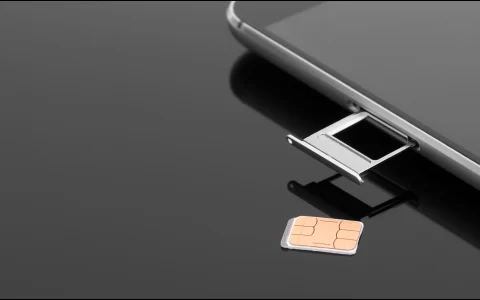
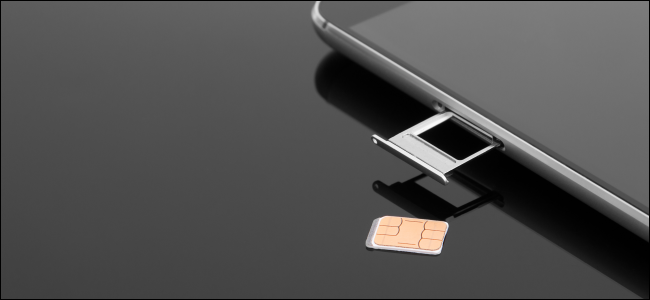
7. Protect Your SIM and Registration Details
Your SIM connects the number to calls, messages, and services that may help control financial accounts.
Take these precautions:
- Keep registration information accurate.
- Protect your National ID and NIN.
- Avoid giving identity documents to unverified intermediaries.
- Report a missing SIM promptly.
- Investigate replacement notifications you did not request.
If your SIM unexpectedly stops working, it may be an ordinary network or device problem. However, if the loss of service is unexplained or accompanied by account alerts, contact the operator promptly from another trusted line.
Do not assume waiting will resolve a possible account takeover.
8. Secure the Phone Itself
Use a strong screen lock and keep the device updated.
Be careful with apps that request access to messages, notifications, accessibility controls, or other sensitive functions.
Install software from trusted sources and avoid applications sent by callers claiming to offer refunds or account repairs.
If someone has remotely accessed your phone, use another trusted device to contact financial providers and seek help securing the affected device.
A SIM block does not necessarily erase the phone or end every internet-connected app session.
9. Stay in Control at Mobile Money Agents
At an agent outlet:
- Confirm that you are dealing with the intended service.
- Check the number and amount.
- Enter your PIN privately.
- Review the confirmation before leaving.
- Keep the transaction reference.
Do not hand over a written PIN or allow someone to perform unexplained actions on your phone.
If an error occurs, ask for help through the provider’s official process. Do not make an additional transfer merely because someone says it will “balance” the first transaction.
Read Also: Safaricom Halts M-Pesa Transactions to Unregistered SIM Cards in Kenya
10. Be Cautious With Prizes, Jobs, and Investment Offers
Unexpected promises can be used to make payments feel urgent or worthwhile.
Warning signs include:
- A prize from a competition you did not enter.
- A fee to release a grant.
- A job requiring payment to a personal number.
- Guaranteed investment returns.
- Payment to receive a refund.
- Pressure to recruit others before withdrawing money.
Verify the organisation and offer independently.
A registered business name or a familiar logo does not establish that the person contacting you represents it.
What to Do if You Suspect Fraud
Step 1: Stop the Interaction
End the call or chat. Do not send another payment or follow further instructions.
Step 2: Contact Your Provider Immediately
Report the incident through an official channel. UCC’s fraud guidance directs victims to contact their service provider promptly, including through customer care on 100.
Ask what protective action has been taken and request a reference.
Step 3: Describe What Happened Accurately
Explain whether you:
- Shared a PIN.
- Entered a code.
- Approved a transfer.
- Lost the SIM.
- Installed software.
- Discovered a transaction you never initiated.
Do not conceal an approval because you fear it will prevent assistance. The investigation needs the full circumstances.
Step 4: Secure Related Accounts
If banking, email, or another payment service may also be affected, contact those providers.
Change exposed passwords and review account sessions using a trusted device.
Step 5: Preserve the Evidence
Keep messages, transaction records, caller details, and case references. Report suspected crime to police through verified channels.
Do not delay protective action while building a complete evidence file.
Read Also: BIWIN Unveils Mini SSDs Almost the Size of a SIM Card
Evidence to Keep
| Evidence | Why it helps |
|---|---|
| Transaction reference | Identifies the payment |
| Amount and time | Matches the incident to account records |
| Recipient number | Supports investigation |
| Messages and screenshots | Shows the request or deception |
| Call details | Establishes when contact occurred |
| Support reference | Connects follow-up enquiries |
| Police reference, where applicable | Records the report |
Keep originals and avoid posting unredacted financial or identity records publicly.
Can Stolen Mobile Money Be Recovered?
Recovery is not guaranteed.
The outcome can depend on reporting speed, available funds, transaction routing, and the investigation. Withdrawn or transferred funds can be harder to recover.
Still report the incident even if someone says recovery is unlikely. The report may support protective action and investigation.
Do not assume that use of a PIN settles every question about what happened. Equally, do not assume a complaint guarantees compensation.
Ask for a written explanation of the outcome and the available review process.
How to Escalate an Unresolved Complaint
Start with the provider and retain its response.
For unresolved communications-service concerns, UCC publishes:
- Toll-free: 0800 222 777
- Email: [email protected]
UCC assesses whether a complaint falls within its jurisdiction. Mobile-money payment services also fall within Uganda’s financial regulatory framework, with Bank of Uganda supervising licensed payment providers.
Ask for the escalation route appropriate to the specific issue. Reporting to a regulator does not automatically reverse a payment.
A Short Fraud-Report Template
Subject: Urgent Mobile Money Fraud Report
Hello Customer Support,
I am reporting suspected fraud affecting number [number].
The incident occurred on [date and time]. The amount involved is UGX [amount], with transaction reference [reference].
What happened: [brief factual explanation].
Please secure the account as appropriate, investigate the transaction, and confirm whether any funds can be recovered.
Please provide a complaint reference and the next steps.
Kind regards,
[Your name]
For an active incident, call or use urgent support rather than relying only on email.
Frequently Asked Questions
Should an Agent Know My PIN?
No. Keep it private and enter it yourself through the genuine transaction process.
Is a Small Unfamiliar Transaction Worth Reporting?
Yes. Report suspicious activity regardless of the amount.
Should I Trust a Caller Who Knows My Name?
No. Personal information does not prove the caller’s authority.
Can Someone Claim to Be Returning Money While Stealing It?
Yes. Read every prompt and verify the account activity independently.
Does Changing My PIN Resolve Every Risk?
Not necessarily. Lost SIMs, exposed accounts, or malicious software may need additional action.
Should I Pay Someone to Recover My Money?
Avoid unofficial recovery services promising guaranteed results. Use your provider and appropriate authorities.
What Is the Most Important Habit?
Pause before approval. Verify the person, payment, and purpose independently whenever something is unexpected.
Read Also; Promate CelluKit | Universal SIM & Memory Card Storage Box