
Choosing between fibre internet and a 4G router depends on where you live, how your household uses the internet and the conditions attached to the package.
Fibre is usually worth prioritising for a settled household with heavy internet use, provided the service reaches your home and performs reliably. A 4G router can suit homes without fibre coverage, lighter users or people who need a quicker setup—but signal quality, data limits and location restrictions matter.
Neither technology guarantees a good experience on its own. A reliable 4G connection can serve a household better than a poorly supported fibre service. Equally, a cheap router package can become expensive if you constantly buy extra data.
This guide explains the differences and how to choose a connection that fits your home in Uganda.
What Is Fibre Internet?
Fibre internet uses fibre-optic cable to carry data to your premises or building. A typical home installation includes an optical network terminal, sometimes called an ONT, and a router that distributes the connection through Wi-Fi or Ethernet cables.
The equipment may be combined in one device.
Fibre requires an available installation route. A provider serving your neighbourhood may still need to confirm whether it can connect your particular building.
Fibre and Wi-Fi are different
Fibre describes how internet reaches your home. Wi-Fi describes how your devices connect wirelessly to your router.
You can therefore have a good fibre connection but poor Wi-Fi coverage in a distant room. Upgrading the internet package may not solve that problem.
What Is a 4G Router?
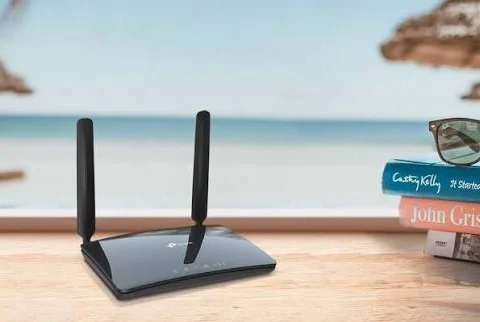
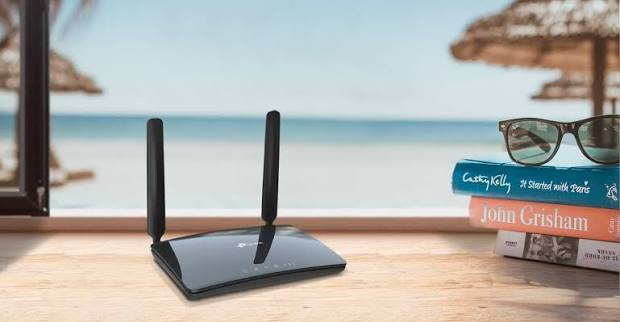
A 4G router connects to a mobile network using a SIM card and shares the internet with phones, laptops, televisions and other devices.
Unlike fibre, it does not require a fibre cable into the property. Some installations may nevertheless need an outdoor receiver or antenna.
Performance depends on factors including:
- Mobile coverage at your home.
- Signal quality inside the building.
- The router’s capabilities.
- Network congestion.
- The package’s speed and usage restrictions.
A 4G router is also different from a small battery-powered MiFi, although both can use mobile networks.
Fibre vs 4G Routers: Main Differences
| Factor | Fibre internet | 4G router |
|---|---|---|
| Connection to the provider | Fibre-optic cable | Mobile network |
| Availability | Requires a suitable connection route | Requires adequate coverage and network capacity |
| Setup | Usually needs installation | Often quicker, although some services need a survey |
| Performance | Often more consistent, but still affected by congestion and faults | More sensitive to signal conditions and mobile-network demand |
| Uploads | Some packages offer equal upload and download speeds | Upload performance can vary significantly |
| Moving house | Usually requires relocation or a new installation | May be movable, but some packages are location-restricted |
| Data allowance | Depends on the package and fair usage policy | Depends on the bundle, speed plan and fair usage policy |
| Power | Home equipment needs electricity | Router needs electricity or compatible backup power |
| Best comparison | Local reliability and full package terms | Indoor performance and full package terms |
1. Which Is Available at Your Home?
Coverage is the first deciding factor.
Check fibre at the building level
Ask the provider to confirm availability using your location pin, street, building name and unit number.
Find out whether:
- The building already has a connection.
- A survey is required.
- Installation needs landlord approval.
- Additional cabling will cost extra.
- There is a confirmed installation date.
Do not pay solely on the basis of a general coverage map.
Test 4G inside the property
Mobile coverage outside the compound may differ from coverage in your sitting room or home office.
Where possible, test the intended network at home before committing. A phone test can provide an initial indication, but the supplied router may perform differently.
Ask whether the provider offers an assessment, demonstration or return arrangement if the service cannot work satisfactorily at your address.
2. Which Handles Heavy Household Use Better?
Fibre is often a strong candidate when several people use demanding applications simultaneously.
Examples include:
- Two televisions streaming while someone attends a video meeting.
- Children taking online lessons.
- Large game downloads.
- Cloud backups.
- Frequent video uploads.
- Security cameras sending footage online.
However, compare actual packages. A low-speed fibre plan can still struggle with heavy simultaneous use, while a well-performing 4G service may comfortably handle a smaller household.
Count activities rather than devices
A router advertising support for many devices does not guarantee that all of them can stream or download at full speed simultaneously.
Ten mostly idle devices may use less capacity than one television streaming high-quality video while a laptop downloads a large update.
3. Which Is Better for Working From Home?
For remote work, reliability and upload performance can matter more than the largest download-speed figure.
Check whether the connection can support:
- Clear video calls.
- Screen sharing.
- Uploading work files.
- Company VPN access.
- Cloud-based applications.
Fibre packages with sufficient upload capacity are worth investigating for regular home working. Liquid Home, for example, publishes fibre packages with matching advertised upload and download speeds.
A 4G router can also support remote work when coverage and network capacity are adequate. Test it during the hours when you actually work.
If losing connectivity would interrupt paid work, consider a backup connection on a different network.
4. Which Is Better for Gaming?
Online gaming depends on more than download speed.
Important measures include:
- Latency: how long data takes to travel to a destination and back.
- Jitter: variation in that delay.
- Packet loss: data that fails to reach its destination.
Fibre often provides more stable latency, but performance also depends on the provider’s routing and the game server’s location.
Test the games you play rather than relying only on a nearby speed-test server.
Where practical, connect the gaming device to the router with Ethernet. This helps separate internet problems from Wi-Fi interference.
For hosting games or accessing equipment remotely, ask about public IP addresses, carrier-grade NAT and any additional charges.
Read Also: East Africa and Africa Business News: Banking, AI, Energy and Telecoms
5. Compare Data Limits Carefully
Neither fibre nor 4G automatically means unlimited, unrestricted use.
A package may:
- Have a fixed data allowance.
- Stop working when data runs out.
- Continue at a reduced speed.
- Apply traffic management during busy periods.
- Restrict resale or sharing beyond your premises.
For example, MTN’s published fibre terms include fair usage thresholds and reduced speeds after those thresholds are reached. Its fixed 4G terms also provide for package-specific usage restrictions.
Ask the provider:
“How much data can I use at the advertised speed, and exactly what happens after that?”
A connection that remains technically active at a much lower speed may no longer meet your household’s needs.
6. Which Costs Less?
Compare the total cost over several service periods.
Fibre costs to check
- Installation and activation.
- Router or ONT charges.
- Recurring subscription.
- Extra cabling.
- Additional Wi-Fi equipment.
- Relocation and cancellation charges.
4G costs to check
- Router or starter pack.
- Recurring bundle or speed plan.
- Data top-ups.
- Optional antennas.
- Replacement equipment.
- Any applicable contract charges.
Example: why the cheapest subscription may cost more
The following figures are illustrative:
| Cost over three service periods | Fibre option | 4G option |
|---|---|---|
| Initial setup | UGX 100,000 | UGX 150,000 |
| Base subscription per period | UGX 100,000 | UGX 70,000 |
| Extra data per period | UGX 0 | UGX 40,000 |
| Total | UGX 400,000 | UGX 480,000 |
The cheaper base package becomes more expensive when regular top-ups are included.
For a light user who never needs those top-ups, the result could be different.
7. Can You Move a 4G Router Anywhere?
Not necessarily.
Some router services allow use wherever the network has suitable coverage. Others are fixed home broadband products registered to a particular location.
MTN’s published fixed 4G terms, for example, require customers to request relocation before using the service at a different address.
Also distinguish between:
- Network locking: restrictions on which operator’s SIM works in the equipment.
- Location restrictions: limits on where the service can operate.
Ask about both before purchasing, particularly if you rent or travel frequently.
8. What Happens During Power Cuts?
Both connections need power for the equipment in your home.
For fibre, you may need to power both the router and a separate ONT. A 4G setup may have one powered device, although outdoor equipment can add requirements.
A compatible backup battery or UPS can help, but it cannot guarantee service if the provider’s upstream equipment also loses power.
Confirm voltage, connector and power requirements before buying backup equipment.
If outages are common, ask neighbours how the service performs during local power interruptions.
9. Check Contracts and Equipment Ownership
Do not assume that either option is automatically a commitment-free prepaid service.
Ask:
- Is there a minimum contract?
- Who owns the router?
- Must equipment be returned?
- Is there an early termination charge?
- Can the service be paused?
- What happens if you move outside coverage?
- Is automatic renewal enabled?
Some broadband agreements include equipment ownership and fixed-term conditions. Get the terms for the exact offer you are buying.
Which Option Suits Your Household?
| Your situation | Option to investigate first |
|---|---|
| Several heavy users in a long-term home | Fibre |
| No fibre route to the property | 4G router |
| Light or occasional internet use | A suitably priced 4G bundle |
| Frequent uploads and regular video meetings | Fibre with adequate upload capacity |
| Short tenancy | The option with affordable setup and flexible exit terms |
| Frequent travel | A service explicitly allowing mobility |
| Work that cannot tolerate interruptions | Reliable primary service plus an independent backup |
These are starting points. Local performance and package conditions should determine the final choice.
Read Also: Airtel Kenya Shuts Down Telesonic Fibre Unit After Two Years
How to Test Before Committing
Test at different times, including your busiest usage period.
Try:
- A video call.
- Streaming while another device browses.
- Uploading a file.
- Your work VPN or usual online tools.
- The rooms where you will use the connection.
For either technology, compare performance near the router with performance in distant rooms. Use Ethernet where available to help identify Wi-Fi limitations.
Keep written records of promised speeds, charges, installation arrangements and cancellation conditions.
Frequently Asked Questions
Is fibre always faster than 4G?
No. Speed depends on the package, network conditions and equipment. Fibre often offers more consistent performance, but the technology alone does not determine every result.
Does a 4G router need mobile data?
It needs an active data service or compatible broadband plan. Some packages provide a fixed allowance; others use speed-based plans with fair usage conditions.
Can fibre run out of data?
That depends on the package. Some services apply a fair usage threshold and reduce speeds afterwards rather than disconnecting completely.
Will fibre improve Wi-Fi in every room?
Not automatically. Router placement, walls and Wi-Fi equipment affect indoor coverage independently of the incoming connection.
Can a 4G router replace fibre for a family?
Yes, where performance, capacity and pricing meet the family’s needs. Test simultaneous usage and account for any top-ups.
Should I keep both?
A backup can be useful for essential work or study. Choose it based on the cost of interruptions and whether it provides a sufficiently independent connection.
Read Also: Top 5 Internet Service Providers in Kampala