Service Uganda Centres are government service points designed to bring assistance from several public institutions together in one location. Their purpose is to reduce the need to travel between separate offices when accessing public services.
Depending on the centre and participating agencies, assistance may involve identification, tax services, business registration, passport applications and other administrative enquiries.
However, a service appearing in the national programme does not guarantee that every centre can complete it. Some locations may provide guidance or application support while particular stages remain with the responsible agency.
The best approach is to confirm the exact service available, prepare the required documents and establish whether an appointment is necessary before travelling.
What Are Service Uganda Centres?
Service Uganda Centres form part of government efforts to improve access to public services through a coordinated, citizen-focused approach.
The model brings participating ministries, departments and agencies closer to users through shared service locations and digital support.
NITA-U describes the regional hubs as physical access points intended to help people use electronic government services, including those who face difficulties with internet access or online applications.
A centre can therefore be useful when you need help understanding a procedure, completing a digital step or reaching the relevant agency.
It should not be assumed that a centre takes over every legal power of the institutions represented there.
What Does “One-Stop” Mean?
“One-stop” means bringing several services or assistance points together. It does not necessarily mean that every application is approved, produced and collected during one visit.
For example, a centre might help you:
- Identify the correct application category.
- Understand supporting-document requirements.
- Access an agency’s online system.
- Submit or check an application.
- Obtain a referral for another stage.
Whether it can also capture biometrics, issue a document or handle collection must be confirmed for the particular location and service.
Ask precisely what can be completed there.
What Services May Be Available?
The Service Uganda programme advertises several service categories. Availability and the level of assistance should be checked locally.
| Service category | Examples advertised within the programme | What to confirm before visiting |
|---|---|---|
| Identification and civil registration | National ID registration, replacement and birth registration | Whether the centre handles your exact request and any required enrolment |
| Tax services | Tax registration, filing and VAT enquiries | Which URA services and account-support functions are available |
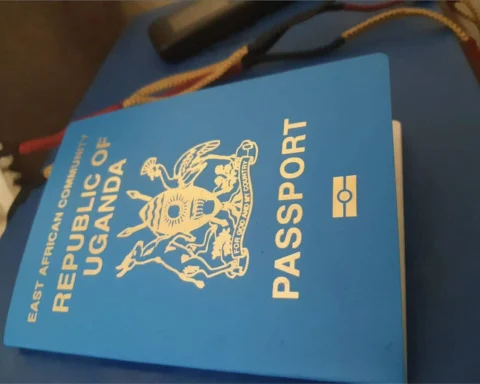
| Immigration | Passport, visa and permit services | Whether assistance covers guidance, submission, appointments or another stage |
| Business registration | Business registration, name reservation and intellectual property enquiries | Which URSB transactions can be handled |
| Transport | Driving-licence and vehicle-registration services | The responsible agency and available transaction |
| Land services | Land searches and title-transfer enquiries | Whether the relevant records and transaction can be accessed |
| Social security | Registration and claims | Which NSSF services are offered |
| Education | Teacher-registration and loan-related services | The responsible institution and current availability |
| Local government | Permits and taxes | Whether the centre covers the relevant local authority |
| Investment | Licensing and advisory services | Eligibility, documentation and service scope |
Use this table to plan your enquiry rather than as a promise that every listed transaction is available at every centre.
Where Are Service Uganda Centres Located?
The programme’s website lists Kampala, Mbarara, Gulu, Hoima, Tororo and Kasese.
Government reports also describe an evolving network involving regional centres, smaller service arrangements and facilities under development.
These references should not be treated as interchangeable confirmation that every location offers the same services.
Confirm Operational Status
Before travelling, establish:
- Whether the centre is currently receiving applicants.
- Its exact address and entrance.
- The services available that day.
- Whether the relevant agency has an operating desk.
- Service hours and appointment arrangements.
- Whether equipment needed for your transaction is available.
An announcement about construction, inspection or a planned opening is not the same as confirmation that your service is operational.
How to Use a Service Uganda Centre
Step 1: Define Your Enquiry
Write a short description of what you need.
For example:
- “I need help understanding the National ID replacement procedure.”
- “I have paid for an application, but its status has not changed.”
- “I want to register a business name.”
- “I need to know where to complete passport enrolment.”
A precise enquiry is easier to route than “I need government assistance.”
If you already have an application, keep its reference available.
Step 2: Confirm the Centre Can Assist
Contact the centre or relevant agency through a verified official channel.
Ask:
“Can this centre handle this particular service, and which stages can I complete there?”
Also ask whether the service is available throughout normal opening hours or only at specified times.
If you are making a long journey, confirm these details close to your intended visit.
Step 3: Obtain the Correct Checklist
Requirements belong to the underlying service.
A birth-registration enquiry will not have the same checklist as a business application or passport appointment.
Ask for the current requirements, including:
- Original documents.
- Photocopies.
- Photographs, if required.
- Application forms.
- Payment evidence.
- Appointment confirmation.
- Supporting letters or declarations.
- Authorisation for a representative, where applicable.
Do not obtain extra documents merely because another applicant needed them.
Step 4: Complete Preliminary Online Steps Where Required
Some services require an online application or payment reference before attendance.
Ask whether you should complete those steps yourself or whether the centre can assist.
If you already started an application, use the existing reference and account. Do not create a duplicate simply because you are visiting a different service point.
Step 5: Check Appointment Requirements
Do not assume that walk-in access applies to every service.
Confirm whether you need:
- A centre appointment.
- An appointment in the agency’s own system.
- A separate appointment for biometrics.
- A collection appointment.
Keep the confirmation and check that the selected location matches where you intend to go.
Step 6: Visit the Reception or Enquiry Point
On arrival, explain your purpose and present the relevant appointment or application reference.
Ask which desk handles the matter and follow the centre’s queue arrangements.
If your issue involves several services, ask whether they can be addressed during the same visit.
Step 7: Review Details Before Submission
Assistance with an online form does not remove your responsibility to check it.
Review:
- Names and spelling.
- Dates of birth.
- Identification numbers.
- Contact information.
- Service category.
- Uploaded attachments.
- Selected appointment location.
Ask for an explanation of any entry you do not understand before approving submission.
Step 8: Obtain Evidence of the Next Step
Before leaving, establish what has been completed and what remains.
Ask for an application acknowledgement, payment receipt, reference or written instructions where available.
Confirm:
- Which agency now handles the application.
- Whether further attendance is necessary.
- How to check progress.
- Where collection will occur.
- How to report a problem.
What to Bring: A Practical Preparation Checklist
The following items can help you organise a visit. They are not mandatory for every service.
| Item | Why it may help |
|---|---|
| Identification | Supports identity checks where required |
| Application reference | Helps staff locate an existing transaction |
| Appointment confirmation | Shows the booked service, date and location |
| Original supporting documents | Allows inspection where the agency requires it |
| Clear photocopies | Helps avoid searching for copying services |
| Payment evidence | Assists with checking or reconciling a transaction |
| Relevant correspondence | Explains previous instructions or referrals |
| Accessible email account and phone | Supports account access and notifications |
| Short written summary | Keeps a complicated enquiry clear |
| Authorisation documents | May be needed if representation is permitted |
Take only the personal records relevant to your enquiry.
Keep originals secure. If an office must retain one, ask how it will be acknowledged and returned.
Are Services Free at Service Uganda Centres?
Do not assume that using a one-stop centre makes the underlying government transaction free.
Some services have prescribed application or processing charges. Others may involve no application fee, depending on the transaction.
Ask staff to distinguish between:
- The government service fee.
- Payment-provider charges.
- Optional copying or printing costs.
- Any other assessed charge.
Request the official payment instructions for your service.
Pay Through the Approved Channel
Check the payment reference and applicant details before confirming payment.
Do not assume that cash should be handed to a person at a desk. Follow the responsible agency’s approved payment process.
Retain receipts and transaction messages until the application is complete.
If payment has been deducted but is not reflected, ask for reconciliation before paying again.
Can You Get a National ID or Passport the Same Day?
Do not plan around same-day issuance unless the responsible service expressly confirms it for your application.
A centre may assist with one part of the process while examination, production or collection occurs elsewhere.
Ask which milestone a quoted timeframe refers to:
- Application submission.
- Enrolment.
- Review.
- Approval.
- Document production.
- Collection readiness.
The time spent receiving assistance at a centre is different from the total processing period.
Help for People Who Find Online Applications Difficult
Assisted access is an important part of the Service Uganda model.
When seeking help:
- Explain which step is causing difficulty.
- Bring the application reference if one exists.
- Ask staff to describe unfamiliar terms.
- Review information before submission.
- Keep control of your email account and phone.
If you need language assistance or have an accessibility requirement, ask in advance what support is available.
Avoid assuming every centre has the same facilities or staffing.
read Also: Best Forex Brokers in Uganda for Safe and Reliable Trading
Protect Your Personal Information
Government applications may involve identity records, financial information and contact details.
Use verified service desks and provide only the information required.
Practical precautions include:
- Enter passwords yourself where possible.
- Never disclose a mobile-money PIN.
- Check what a one-time code authorises before using it.
- Sign out of accounts on shared devices.
- Collect printed copies containing personal information.
- Keep photographs and scans out of public messaging groups.
- Confirm the purpose before allowing someone to retain documents.
If another person helps complete the application, make sure the account remains accessible to you.
What Happens if the System Is Unavailable?
A temporary outage does not necessarily mean your application has failed.
Ask staff whether:
- Your information was saved.
- Submission was completed.
- Payment was recognised.
- A reference was generated.
- You should return or continue remotely.
Keep evidence of any completed payment or submission.
Avoid repeatedly creating applications or making payments to resolve an unclear technical problem.
If you must return, ask which steps will need repeating.
What if the Service Is Not Available at Your Centre?
Request a specific referral.
Ask for:
- The responsible institution.
- The correct branch or service point.
- Whether an appointment is needed.
- The documents required.
- Whether your existing reference remains valid.
- The reason the transaction cannot be completed locally.
Do not assume that a referral means your application has been transferred.
Contact the receiving office before making another journey.
read Also: Fresh Cuts Tax Waiver: Uganda Writes Off USh8.7 Billion
How to Follow Up After Your Visit
Keep the application reference, receipts and any written instructions together.
Use the responsible agency’s tracking or help-desk channel.
A useful follow-up message states:
- The service requested.
- Application reference.
- Date and place of attendance.
- Last completed step.
- The problem or information needed.
For example:
“I attended the centre on [date] for assistance with [service]. My reference is [number]. Please confirm whether any action remains outstanding and which office handles the next stage.”
If the response is unclear, ask for the centre supervisor or the agency’s escalation procedure.
Common Mistakes to Avoid
Assuming Every Centre Offers Everything
Confirm your exact transaction and the available stage of service.
Travelling on the Basis of an Old Announcement
Check operational status, address and agency availability before leaving.
Bringing Only a Phone Photograph
Ask whether originals and paper copies are required.
Paying Without an Official Reference
Follow the approved assessment and payment instructions.
Confusing Assistance With Approval
Help submitting a form does not guarantee that the responsible agency will approve it.
Leaving Without a Next Step
Know which office handles the application, how to track it and whether another appointment is required.
Frequently Asked Questions
What Is a Service Uganda Centre?
It is a government service point designed to bring participating public services and assistance together in one location.
Can I Walk In?
Ask the centre. Some enquiries may be handled directly, while particular transactions can require appointments or preliminary online steps.
Can I Access Several Services During One Visit?
Potentially, where the relevant services are available and you meet their requirements. Confirm availability and plan the order of your transactions.
Does Every Centre Capture Biometrics?
Do not assume so. Confirm whether the specific agency, equipment and service are available at your chosen centre.
Can Someone Apply on My Behalf?
It depends on the underlying service. Some transactions require personal attendance. Ask about authorisation and identity checks before sending a representative.
Can a Centre Correct an Existing Record?
It may provide assistance, but the responsible agency determines the correction procedure. Bring the relevant record and ask which application applies.
Should I Still Contact the Responsible Agency?
Yes, particularly for service-specific eligibility, decisions, processing and complaints. The centre provides a coordinated access point rather than removing the agency’s responsibilities.
Prepare for the Service You Need
Choose the centre based on confirmed service availability, rather than proximity alone.
Obtain the correct checklist, complete any required preliminary steps and keep your application references secure. Before leaving, establish what has been completed and exactly how to proceed.
That preparation gives you a better chance of resolving the enquiry without unnecessary repeat visits.

Read Also; Spiro Electric Motorcycles Get $18 Million for Uganda and Rwanda Expansion